
Deliver better results for every Google Ads client without growing your team
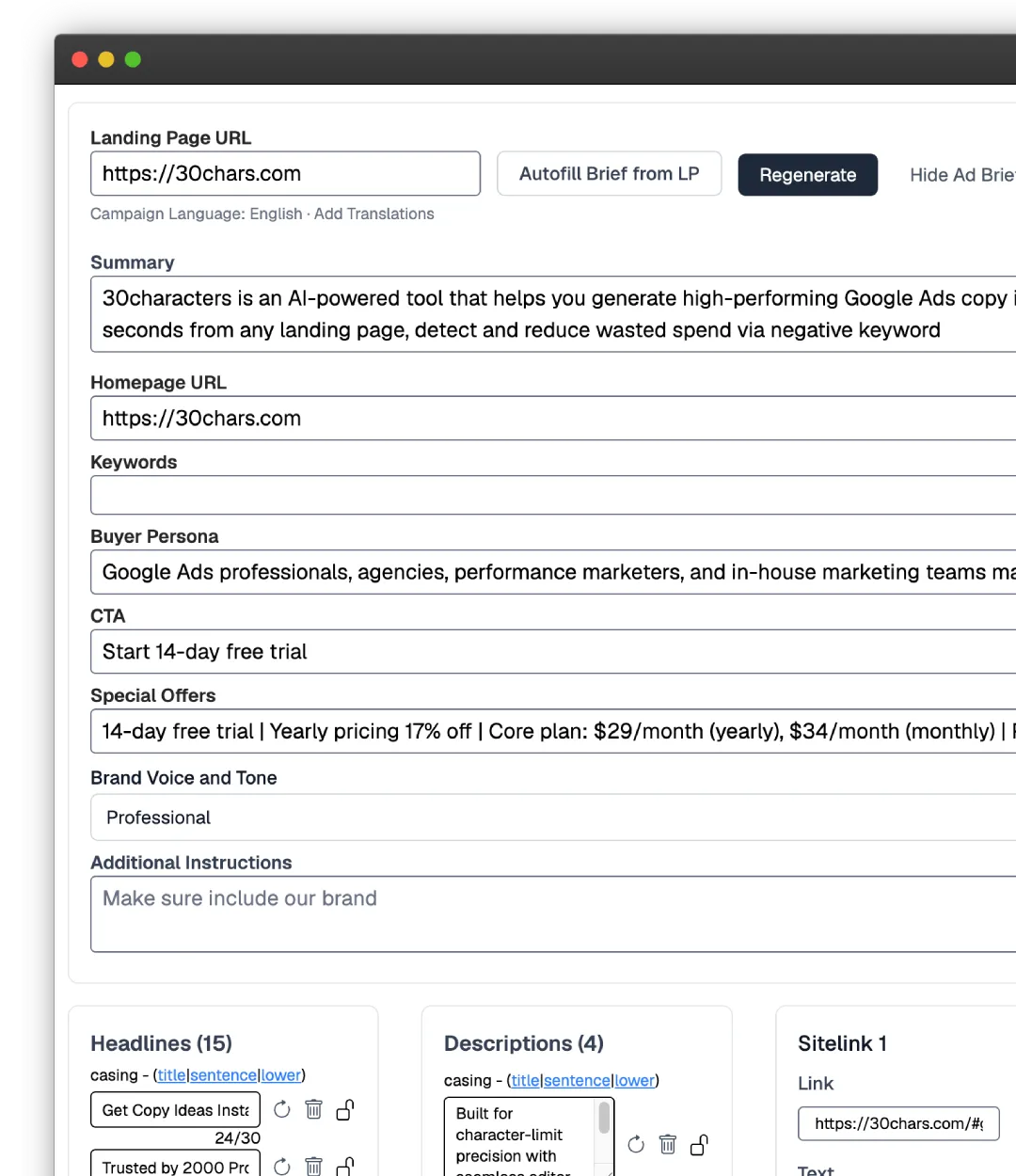
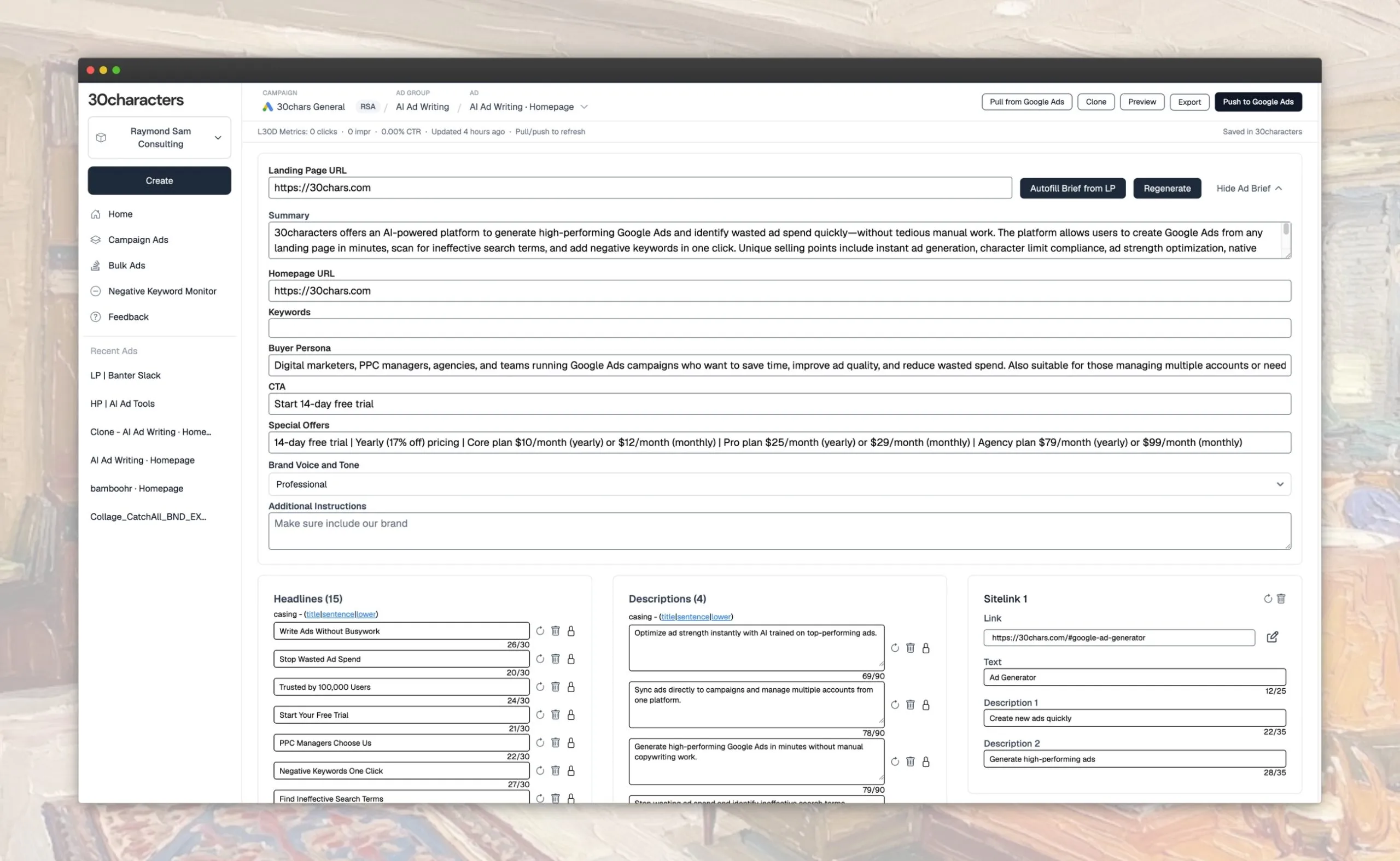
30characters builds entire Google Ads campaigns in minutes: keyword research, structure, headlines, and descriptions from a client's website, ready for Google Ads Editor.
Trusted by 2,000+ Google Ads Pros









Build an account’s worth of campaigns in minutes
Pick a strategy, point 30characters at a client’s website, and it builds the whole campaign: keyword research, headlines, descriptions, and full structure. You stay in control of every ad.
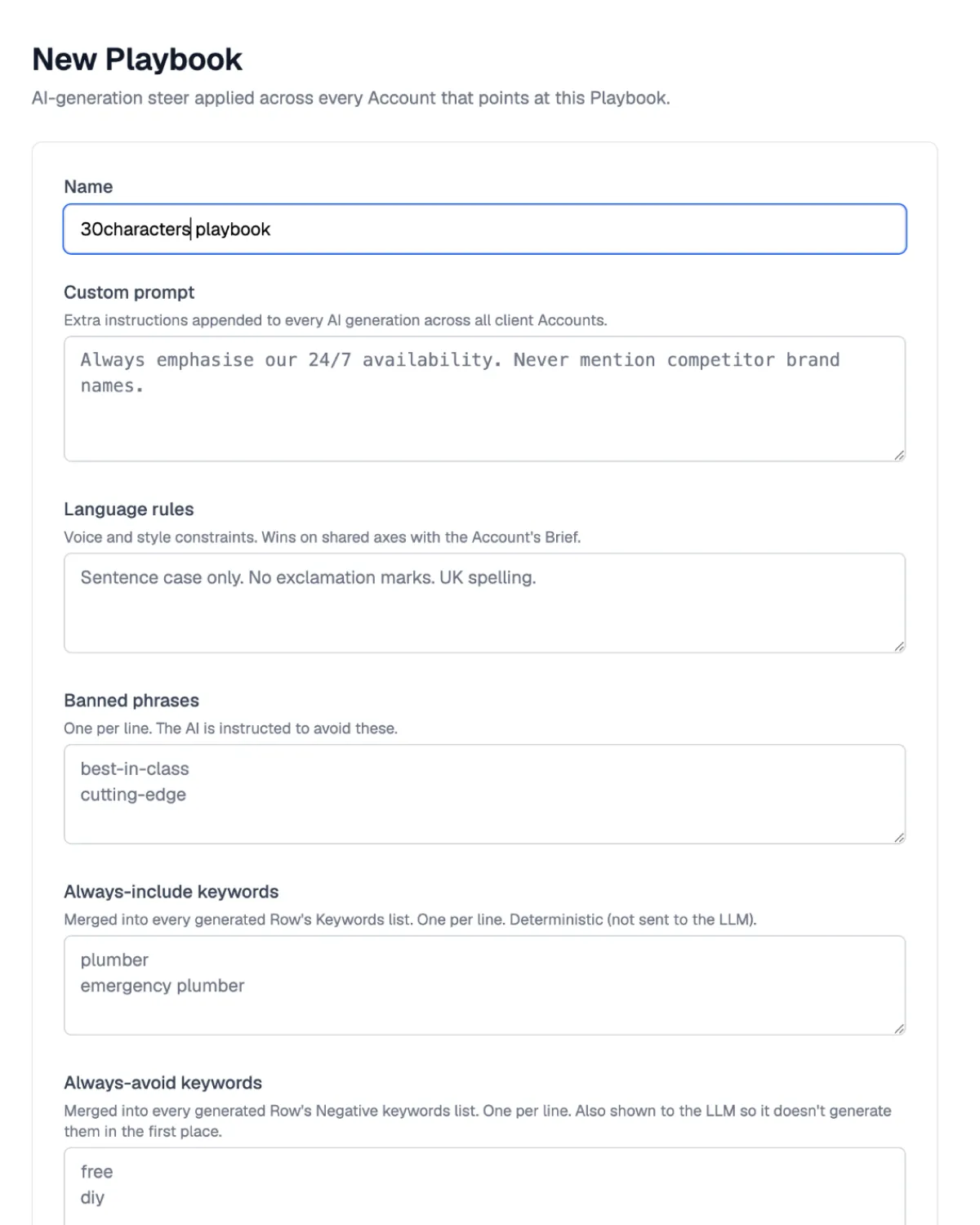
Set standards with playbooks
Dial in your language rules, keyword strategy, and campaign defaults once, then apply them across every new build and every account.
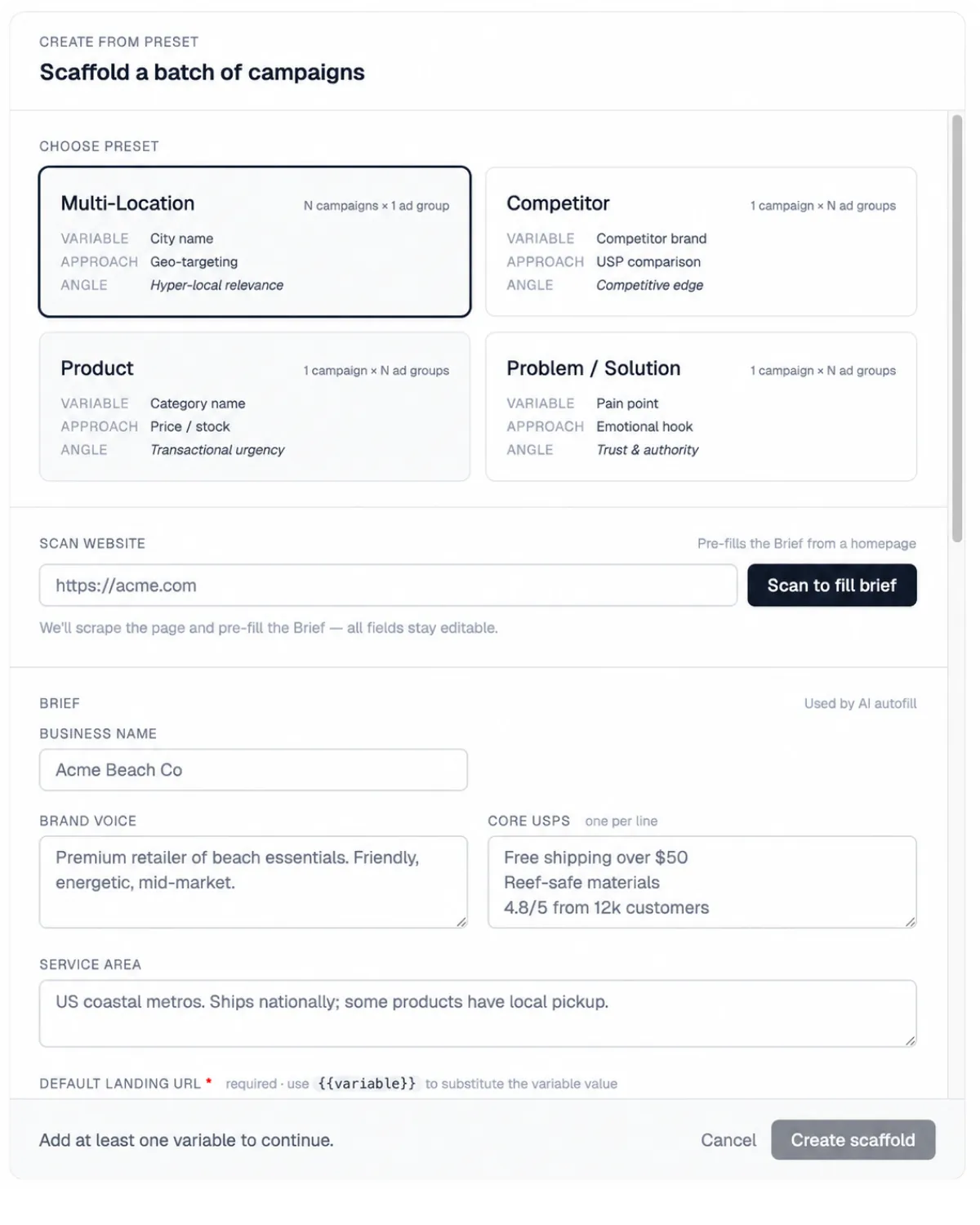
Start from a preset
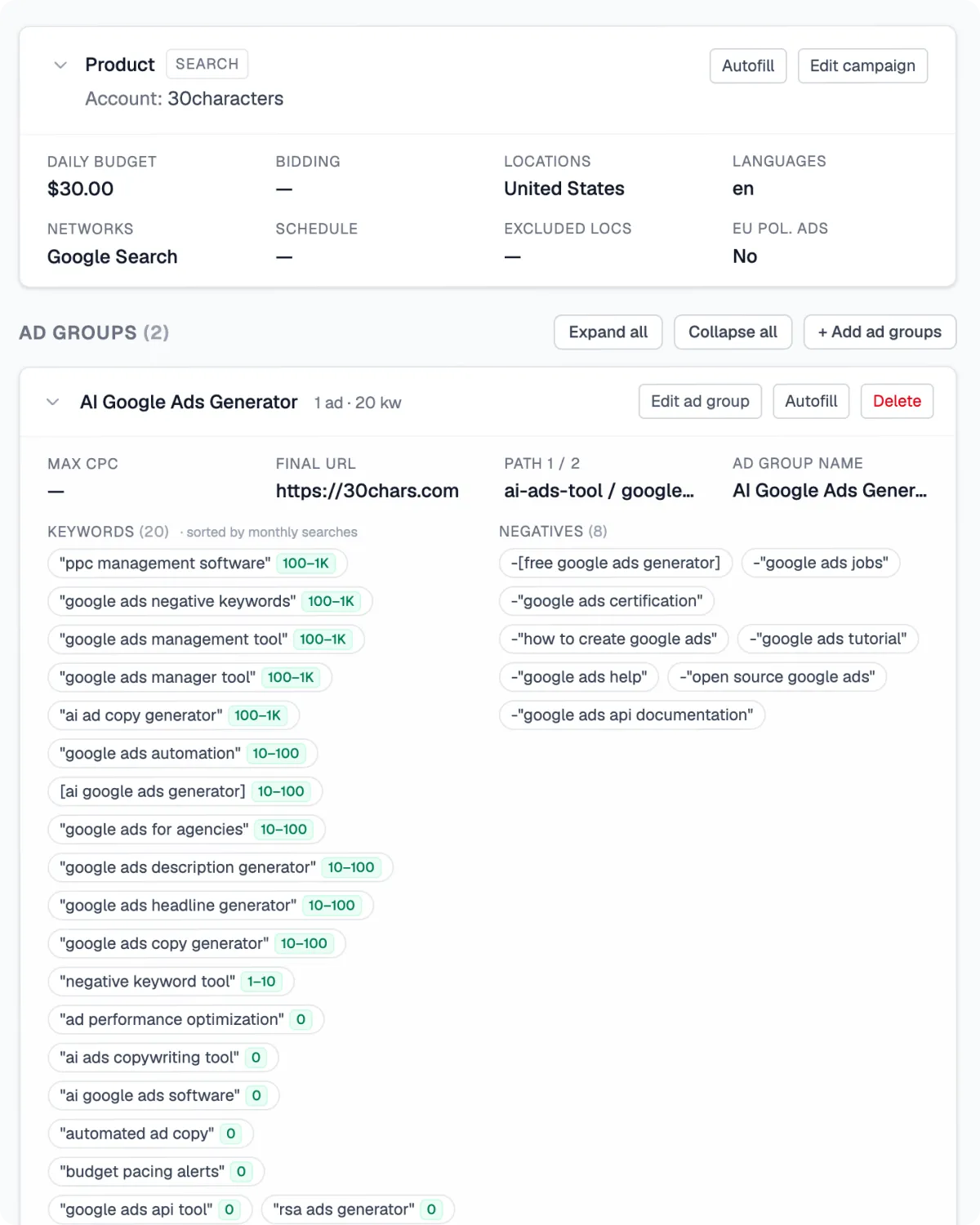
Multi-location, product, competitor, or problem/solution. Point it at a client’s website and 30characters builds the full structure around it.
Refine and export to Google Ads Editor
Review and fine-tune the generated keywords, headlines, and descriptions, then export the whole campaign straight into Google Ads Editor.

“This tool significantly streamlines the launching process, allowing me to get campaigns live much faster. It consistently helps achieve an ‘Excellent’ ad strength, leading to lower CPCs while improving CTRs and CVRs.”
Everything you need to manage more accounts
The campaign builder gets accounts live fast. These keep them healthy across every client you manage: sharper copy, less wasted spend, and pacing you can trust.
Budget Pacing Alerts
Track spend against targets in real time. Get alerted if over or under.
Learn more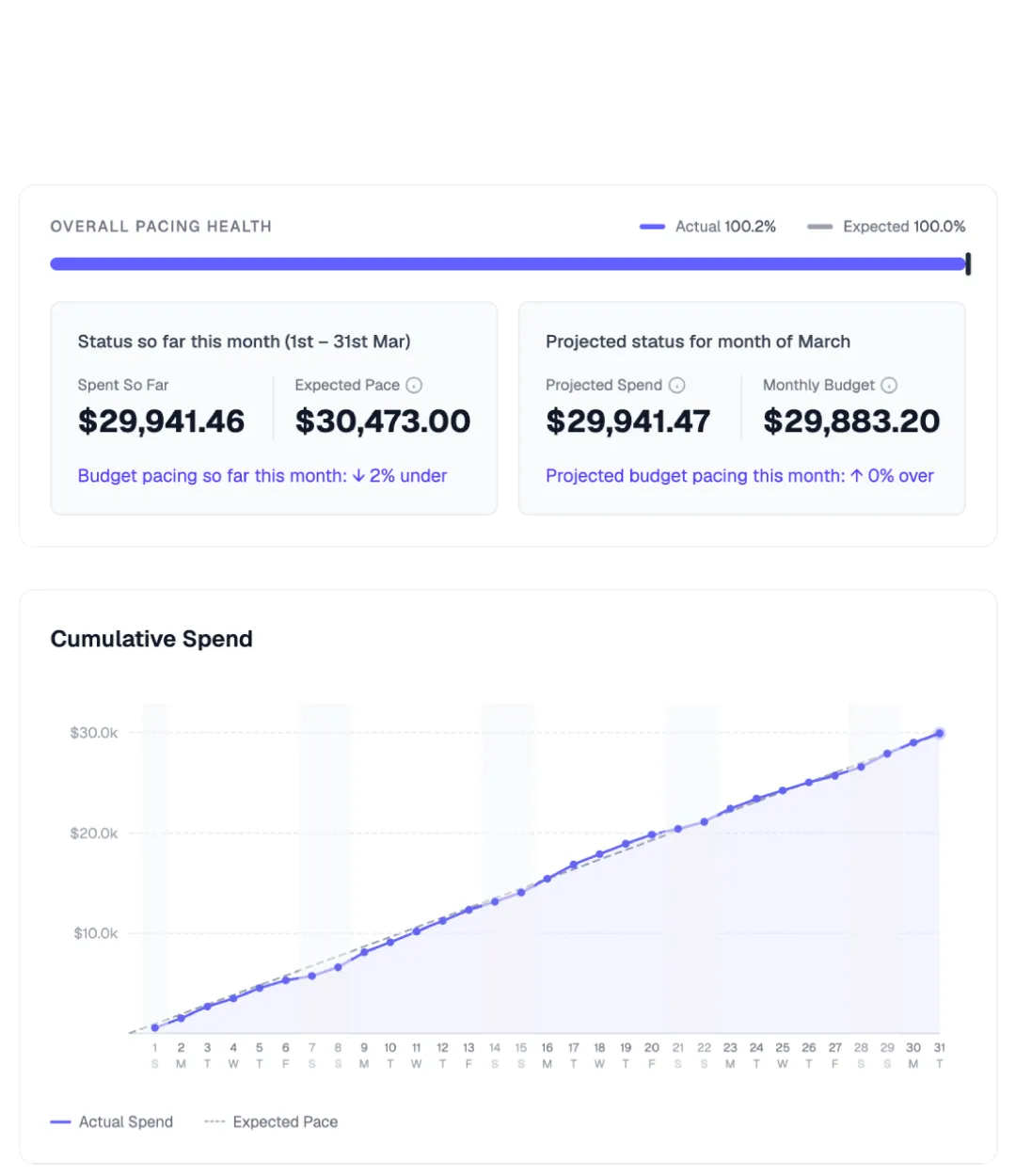

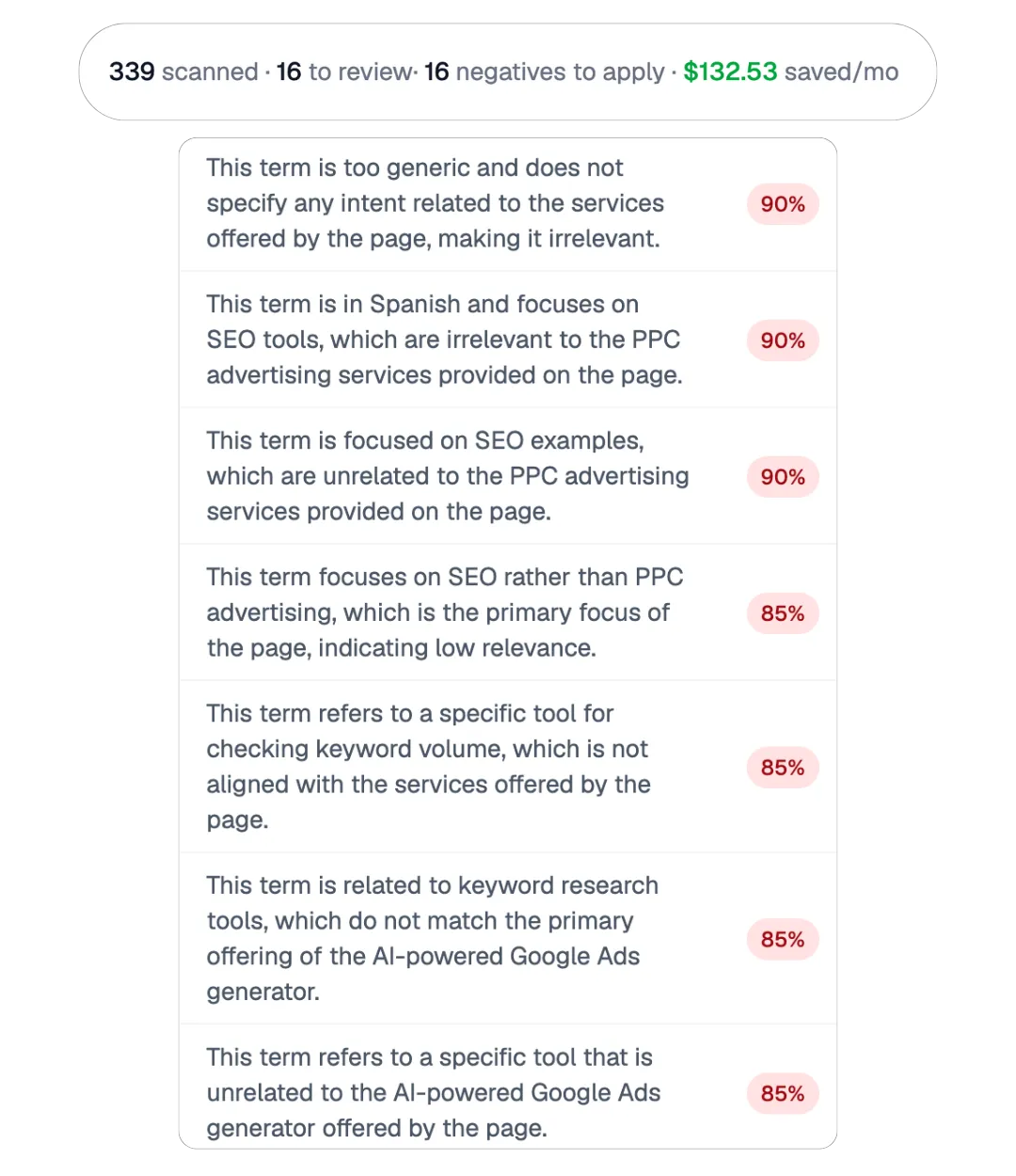
“30chars saved me from spending a ton of hours manually crawling through search term reports for negatives until my eyes bled, and it found stuff I probably would’ve never found”
Get up and running in minutes
- Connect your ad accounts Link your Google Ads accounts. 30characters is an approved Google Ads API Partner. The app is read only to start, and can only write based on user confirmation.
- Build campaigns with AI Pick a strategy and point 30characters at a client’s website. It builds the whole campaign: keyword research, structure, headlines, and descriptions, ready to export to Google Ads Editor. Steer a single ad or set the rules once across every account.
- Set up negative keywords monitor Select campaigns you want to moniitor, how frequently you want to scan. After the first scan, choose which keywords to negative and apply them to accounts in a few clicks.
- Turn on budget pacing alerts Select campaigns you want to monitor and the thresholds for alerts. 30characters will then check regularly during the day for pacing anomalies.
Recommended
Connect a Google Ads account
Push ads directly to Google Ads and scan your campaigns for wasted spend. See which search terms are costing you money and fix them in a click.
Connect Google Ads
“30characters is a fantastic tool for when I get ad foggy and need inspiration. It’s made the task of creating new campaigns so much easier. I’m using it regularly now and can’t imagine going back”
Simple straighfoward pricing
Whether you’re working in-house at a brand, freelance or agency, 30characters has a plan that suits your usage. Start now to save hours of busywork and actual ad spend dollars.
Core
$29/month$34/month
(billed yearlymonthly)
Try for FreeWhat’s included:
- Connect 1 Google Ads Account
- 1 user
- Unlimited copy generations
- RSA, PMAX & Demand Gen campaigns
- Multi-language generation
- Ad translation
- Build entire campaigns with presets & playbooks
- Sync ads directly into Google Ads
- Negative Keyword Monitoring
- Budget Pacing Alerts
Pro
$59/month$71/month
(billed yearlymonthly)
Try for FreeAll the features in Core plus:
- Connect 10 Google Ads Accounts
- Up to 3 users
- Connect MCC accounts
- Priority input into roadmap
- Priority support
Agency
Let’s TalkLet’s Talk
(billed yearlymonthly)
Book a DemoAll the features in Pro plus:
- Unlimited Google Ads Accounts
- Unlimited users
- Unlimited Connections
- Perfect for agencies & teams