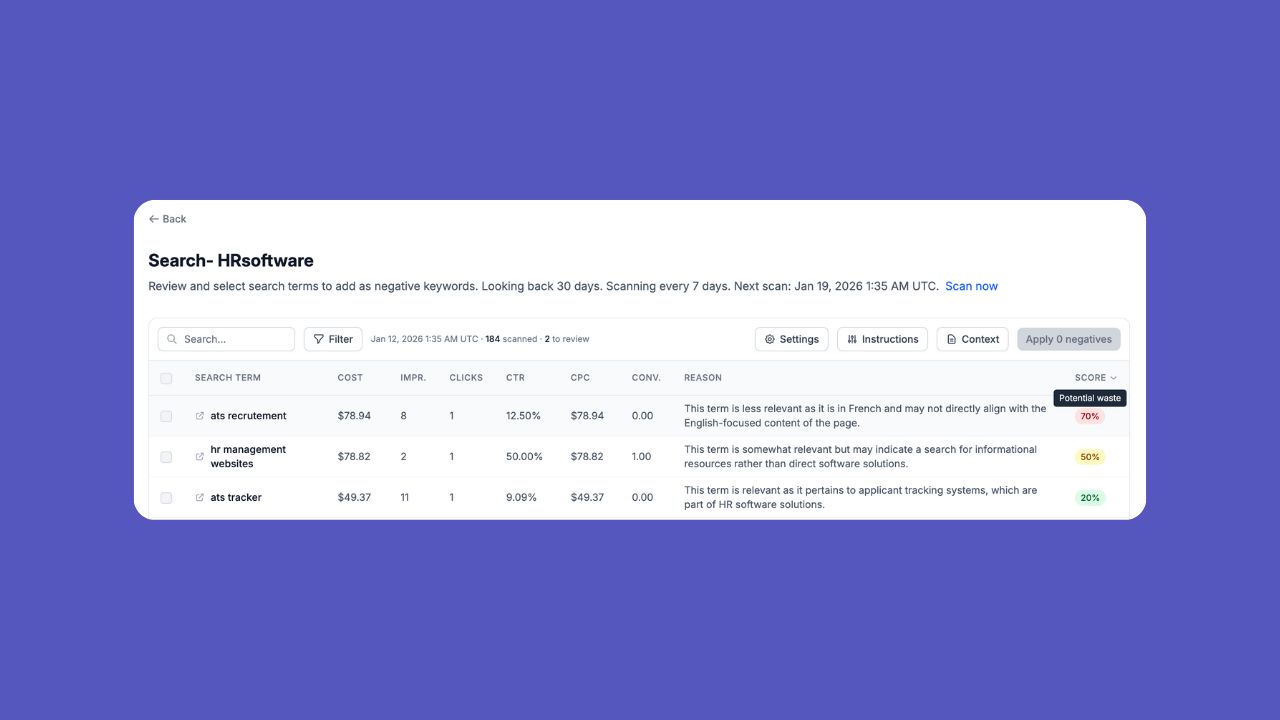
We’ve added a feature that Google Ads managers have been doing manually for years—reviewing search term reports and finding wasted spend. Now 30characters can flag terms for you automatically.
Introducing Negative Keyword Monitor
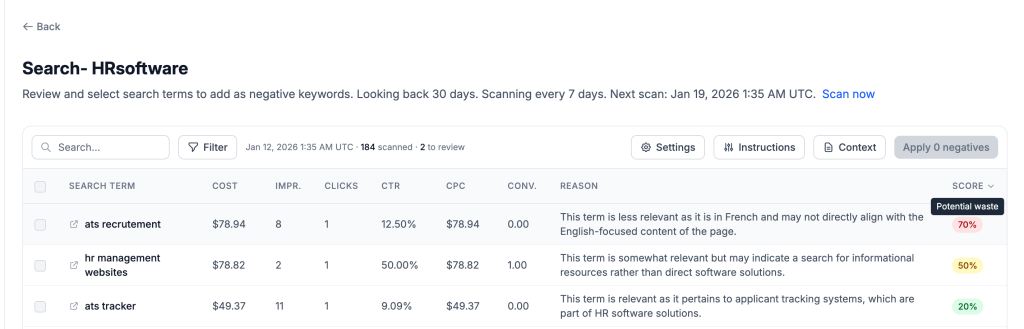
Connect your Google Ads account and the Negative Keyword Monitor will scan your search term reports, analyze them with AI, and surface negative keyword recommendations ranked by how much
you’re spending on them.
Here’s how it works:
Set up monitors for your campaigns. Select one or multiple campaigns at once—we support both standard Search and Performance Max campaigns. You’ll see which campaigns are already being
monitored and can filter by account if you’re managing multiple.
AI analyzes your search terms. This isn’t just pattern matching. We crawl your landing pages to understand your business context, then evaluate each search term for relevance. The AI can
process up to 1,000 terms per scan and handles large campaigns by batching the analysis automatically.
Get recommendations ranked by spend. Each suggestion shows the confidence score, clicks, and cost so you can focus on the terms draining your budget. Filter by minimum confidence, clicks,
or cost to zero in on what matters.
Apply with a click. Select keywords (shift-click for ranges), set match types in bulk, and apply directly. You can also add custom negative keywords that weren’t in the suggestions.
Scheduling & Alerts
Choose how often to scan—daily, weekly, monthly, or manual for one-time analysis. Enable email alerts and you’ll get notified when new suggestions are found, with the top recommendations by
spend included right in the email.
Custom Instructions
Here’s where it gets powerful. You can add custom filter instructions to fine-tune the AI—things like “competitor names are never relevant” or “we only sell B2B.” After saving new
instructions, we’ll prompt you to rescan so you can see updated results immediately.
Included in Core
Negative Keyword Monitor is available to all Core plan subscribers. Find it on your dashboard homepage or in the sidebar under Negative Keywords.
What’s Next
We’re continuing to improve the monitor with better campaign organization, more granular controls, and tighter Google Ads integration. If you have feedback or feature requests, let us know.
Cheers,
– Ray