
One dashboard for all your Google Ads accounts, with problems flagged first
Trusted by 2,000+ Google Ads Pros









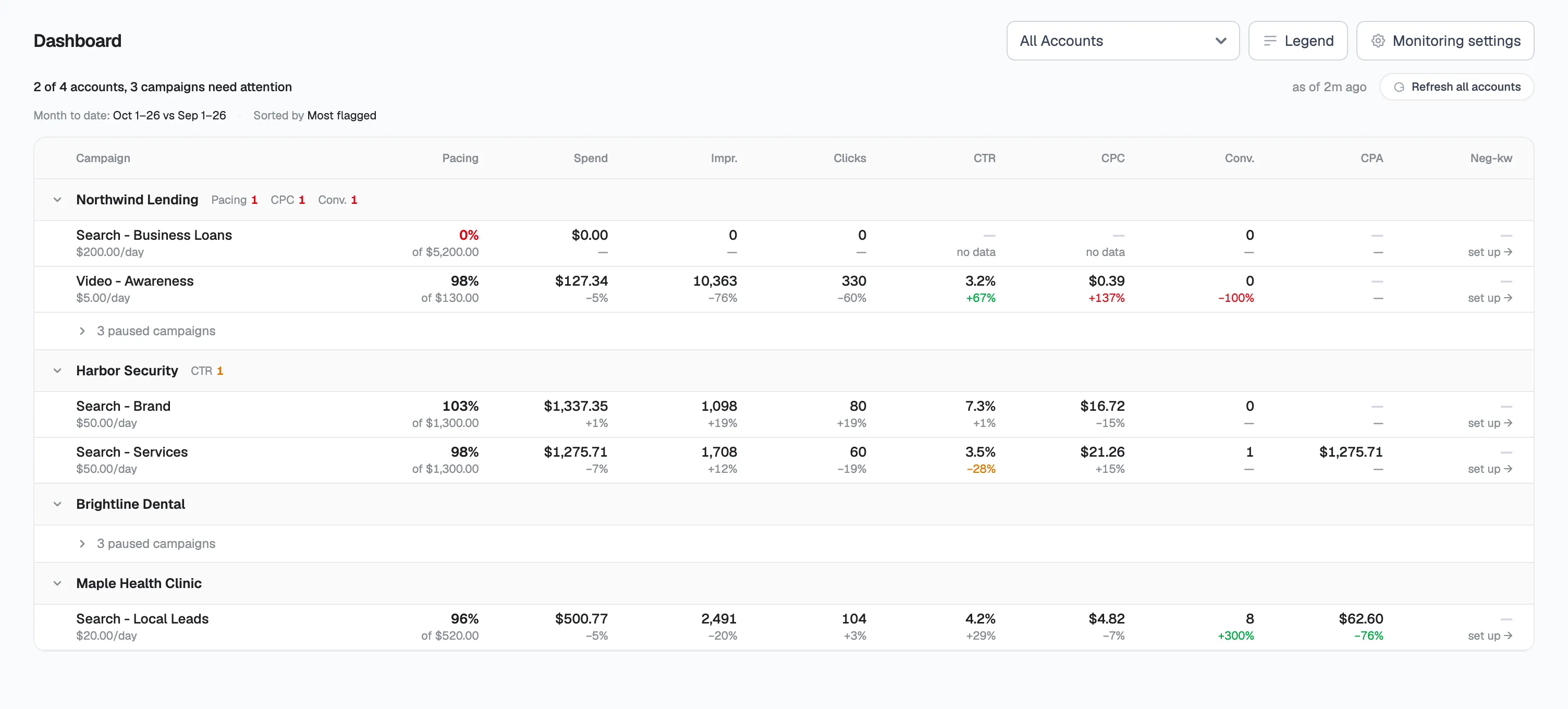
Know where to look without opening each account
You set the thresholds that flag a number
Pick the % change that counts as a warning or problem.
Built for MCCs
Connect once and pick the accounts under it.
Numbers match Google Ads
Own time zone, completed days only.
Built for the morning check across all your accounts
Spend to CPA in one row
Spend, pacing, clicks, CTR, CPC, conversions and CPA per campaign.
Read only to start
Nothing changes until you confirm.
Paused campaigns fold away
Live campaigns stay on top. Paused ones tuck away.
Click through to Budget Pacing
Click a campaign’s pacing to see its daily spend chart.
Negative keywords in view
See where scans are set up, and start one where not.
Always up to date
Syncs every 6 hours, or refresh all in one click.
Frequently asked questions
Which metrics does the Dashboard show?
Spend, pacing, impressions, clicks, CTR, CPC, conversions and CPA, month to date.
What date range do the numbers cover?
Month to date, against the same days last month. Each account uses its own time zone and completed days, so numbers match Google Ads.
What gets flagged?
Any number past your warning or problem threshold, set as a % change per metric.
How often does it update?
Every 6 hours, or refresh all accounts in one click.
Does it work with MCC accounts?
Yes. Connect your manager account once and pick accounts.
Will it change anything in my accounts?
No. Nothing changes until you confirm.
Is there a free trial?
Yes. Every plan starts with a 14-day free trial.